Eat big.
Grow right.
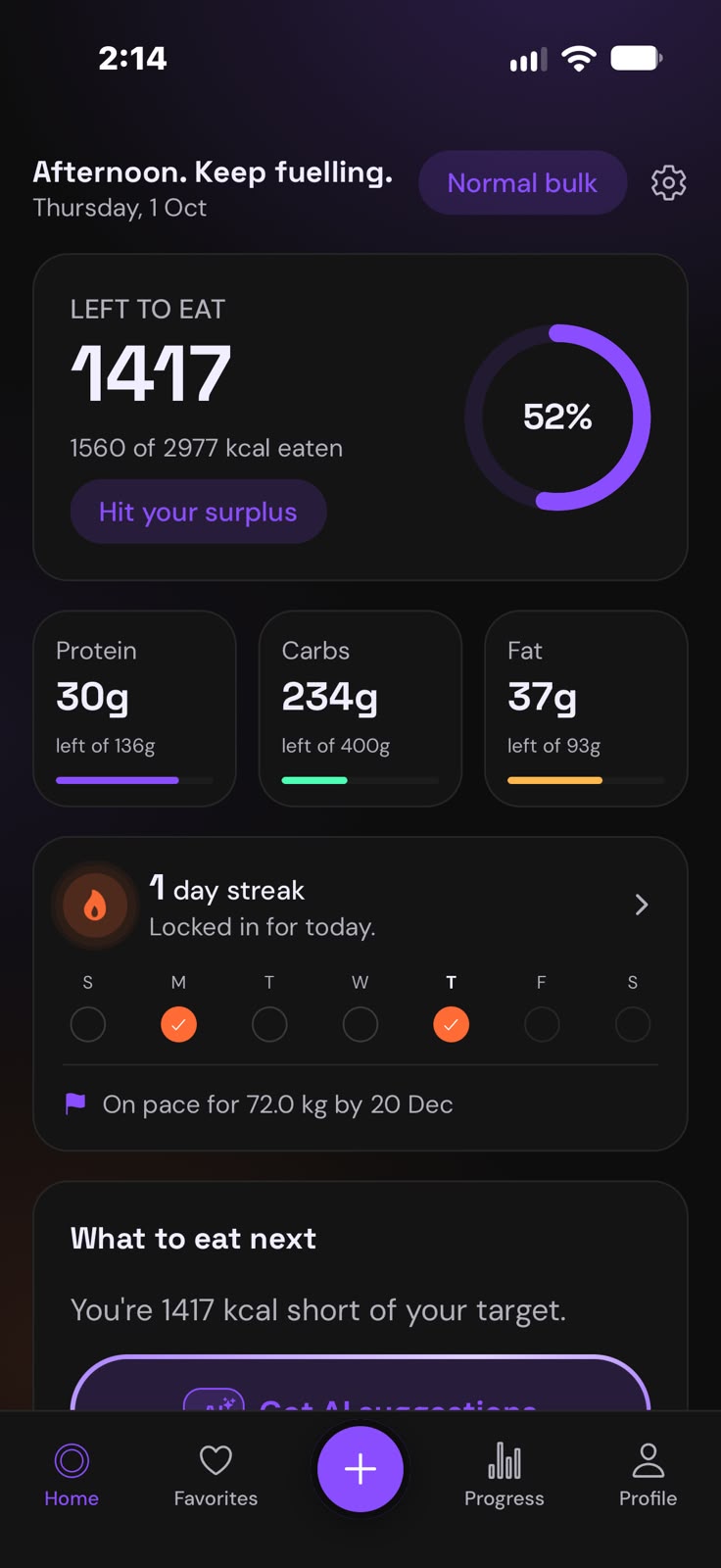
Size Up builds your calorie surplus, scans your meals from a photo, and tells you exactly what to eat next, so the scale finally moves the right way.
Every calorie app wants you
to eat less. Not this one.
If you've ever struggled to gain weight, you know the hard part isn't the gym. It's eating enough, every single day. Size Up is built around that.
Typical calorie trackers
- Built around a deficit and cutting
- Turn red and warn you when you go over
- Suggest "lighter" swaps and smaller portions
- Leave you guessing when you're full but short
Size Up
- A surplus sized to how fast you want to gain
- Celebrates hitting your target, and keeps your streak alive
- Meal ideas sized to exactly what you have left today
- Easy, calorie-dense options for when you're too full
Everything you need to bulk.
Nothing you don't.
Point. Snap.
Logged.
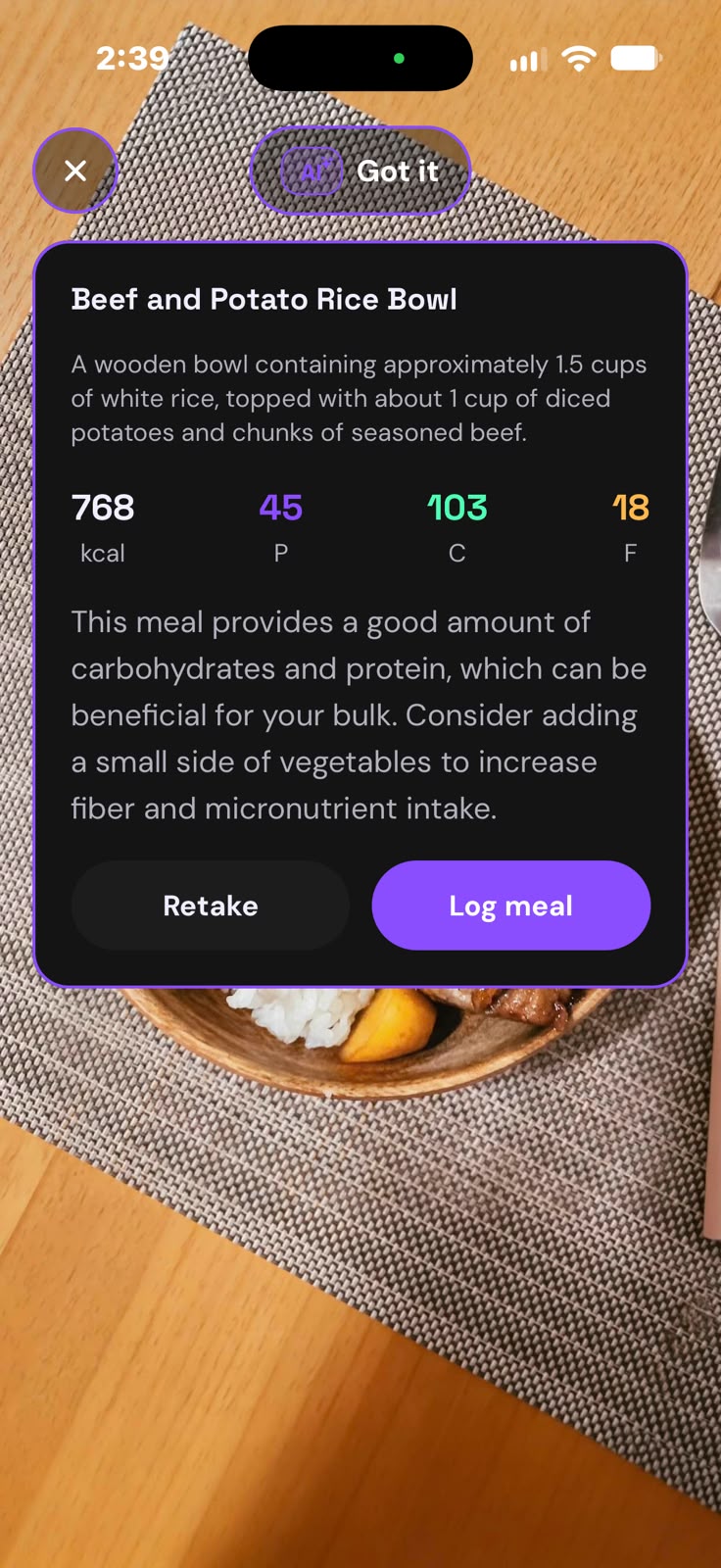
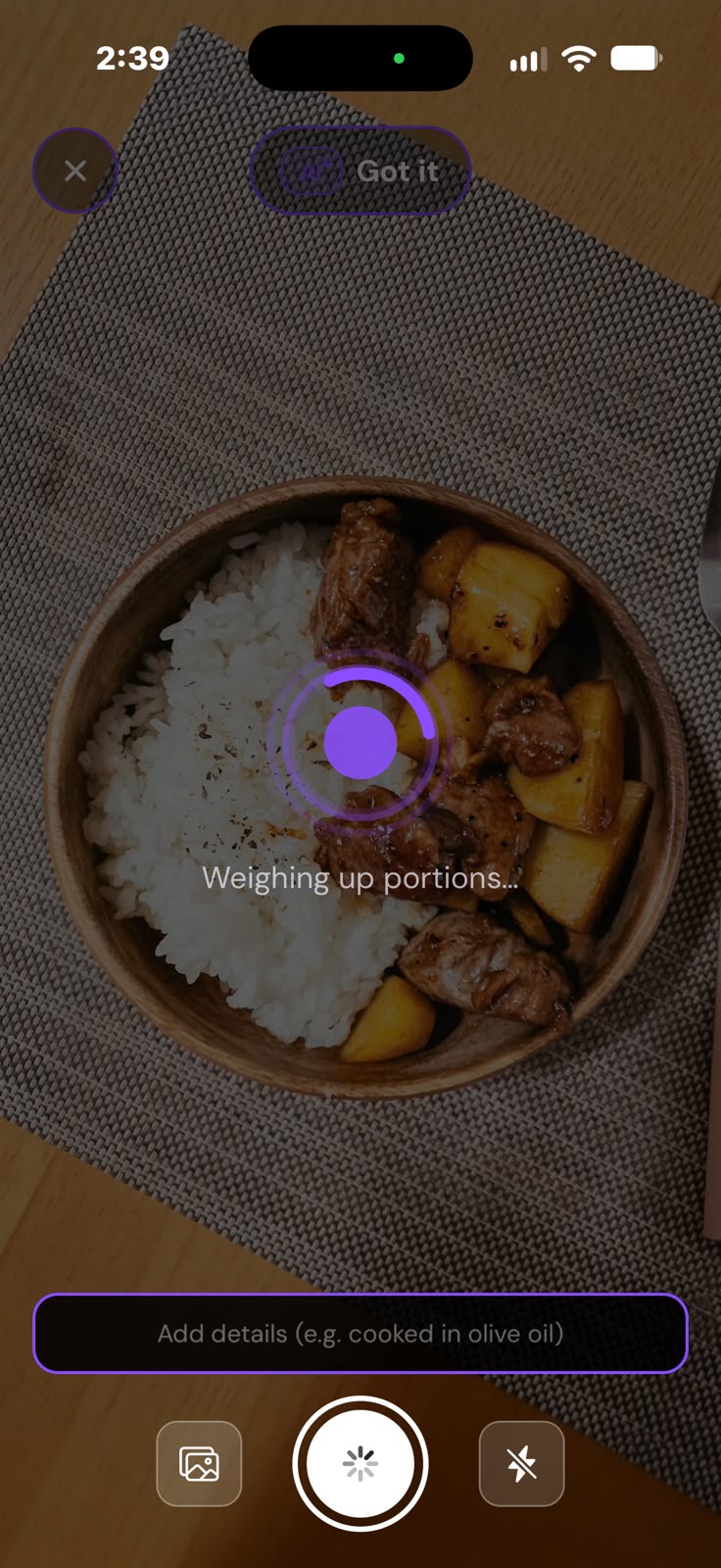
Take a photo of your plate and get calories and macros in seconds. Not near your plate? Just describe it, or type it in yourself.
- Calories, protein, carbs and fat from one photo
- Add details like "cooked in olive oil" for a sharper estimate
- A quick coach's note on every meal you scan
Never wonder
what to eat.
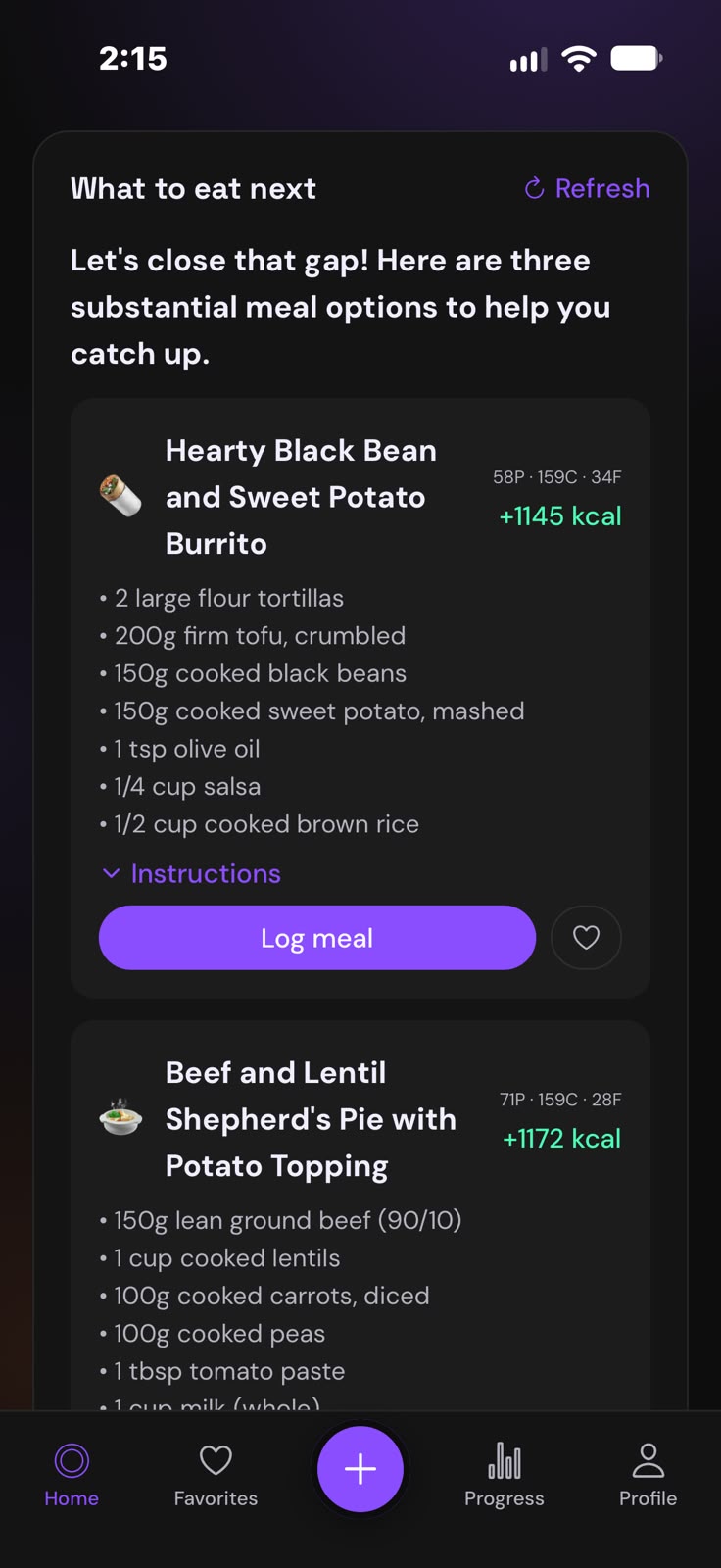
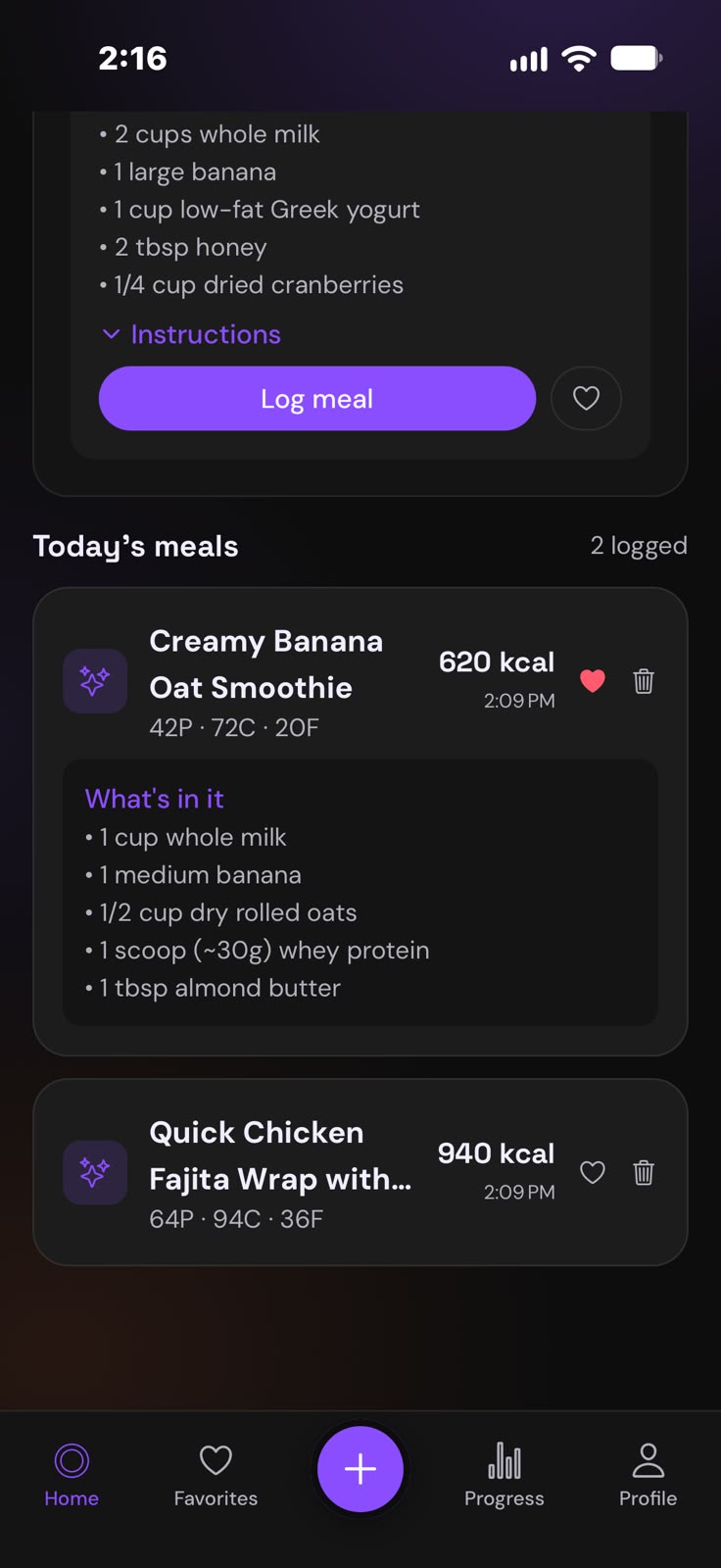
Short on calories at 8pm? Size Up looks at what you have left today and suggests meals that close the gap, in the diet you actually follow.
- Ideas sized to your remaining calories and protein
- Ingredients and how to make it, step by step
- Log it in one tap, or save it to your favorites
Can't eat another bite?
Drink it instead.
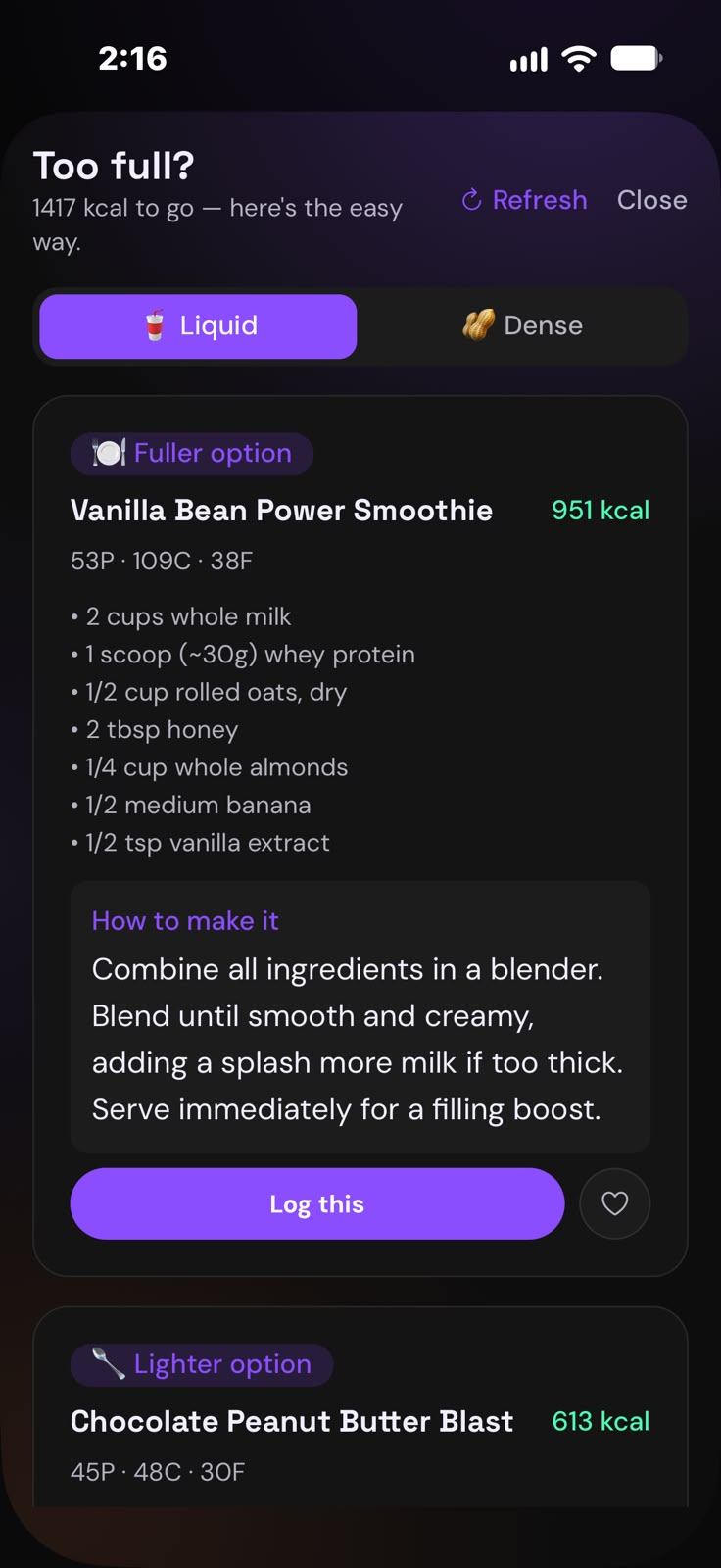
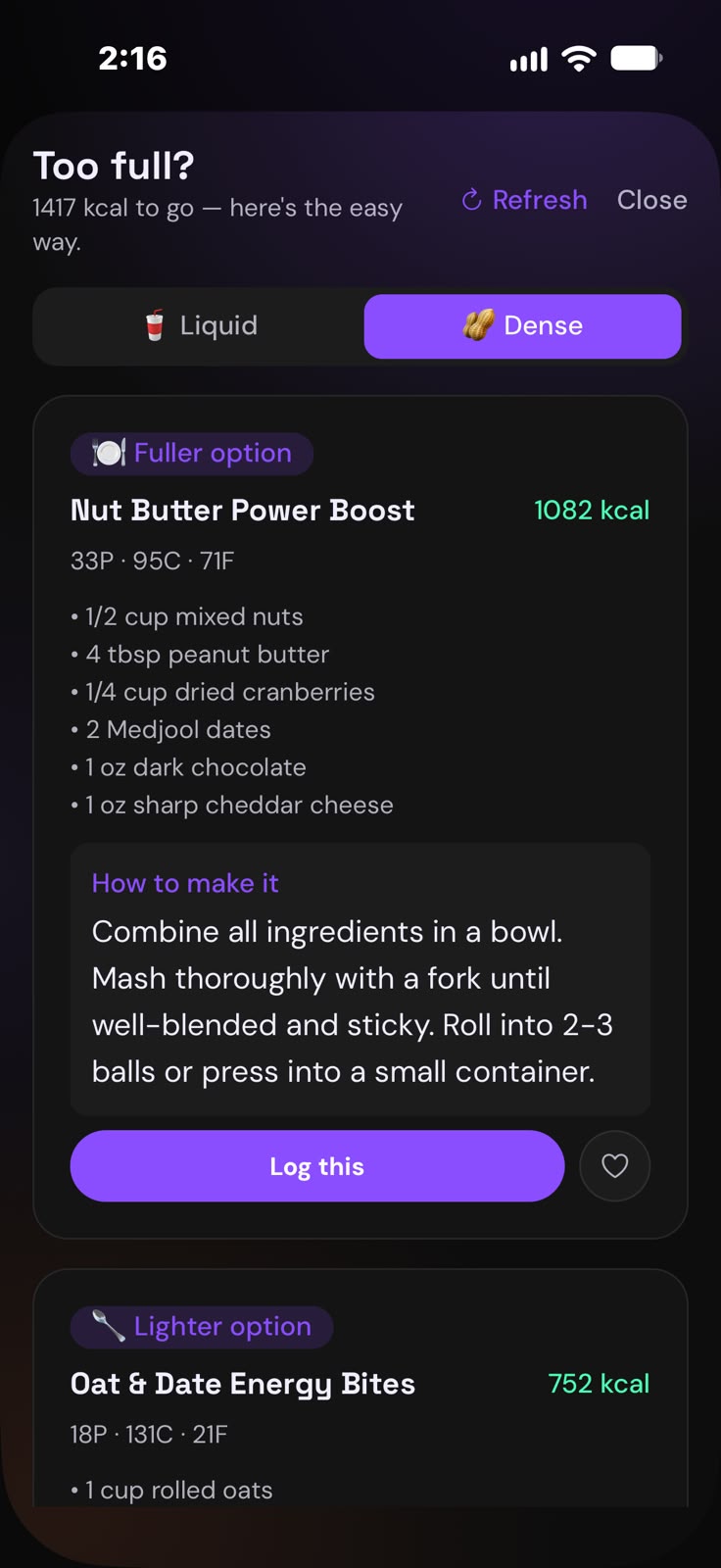
The hardest part of a bulk is the last 1,000 calories. Size Up gives you easy, calorie-dense ways to get there when you're already full.
- Liquid options: shakes and smoothies that go down easy
- Dense options: big calories in a small portion
- A fuller and a lighter option, every time
Watch the scale
go the right way.
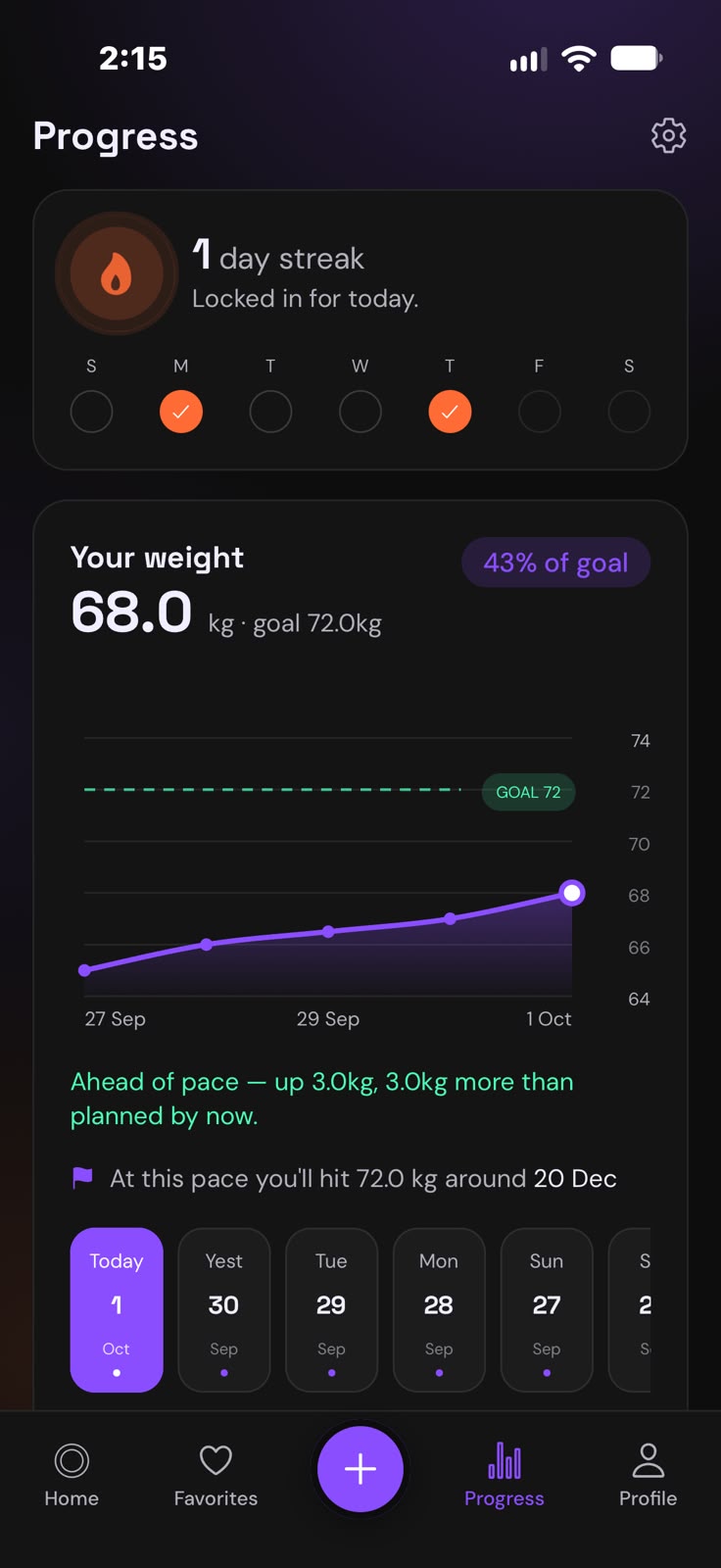
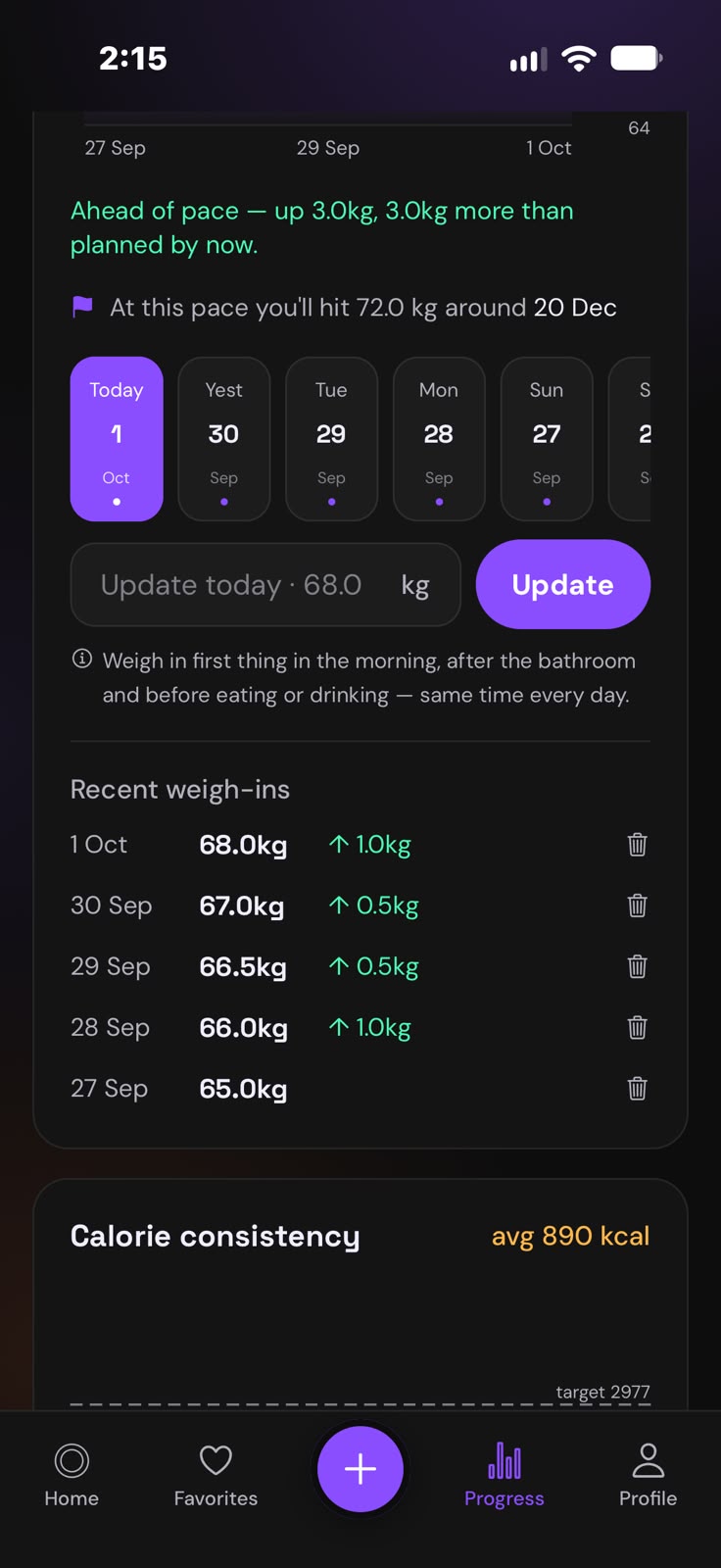
Log your weigh-ins and see exactly when you'll hit your goal weight. A daily streak and an evening reminder keep you showing up.
- Weight trend against your goal
- Know if you're ahead of or behind pace
- A reminder only on days you haven't logged
With you from breakfast
to the last shake.
Swipe to see more →
Small things that make
gaining easier.
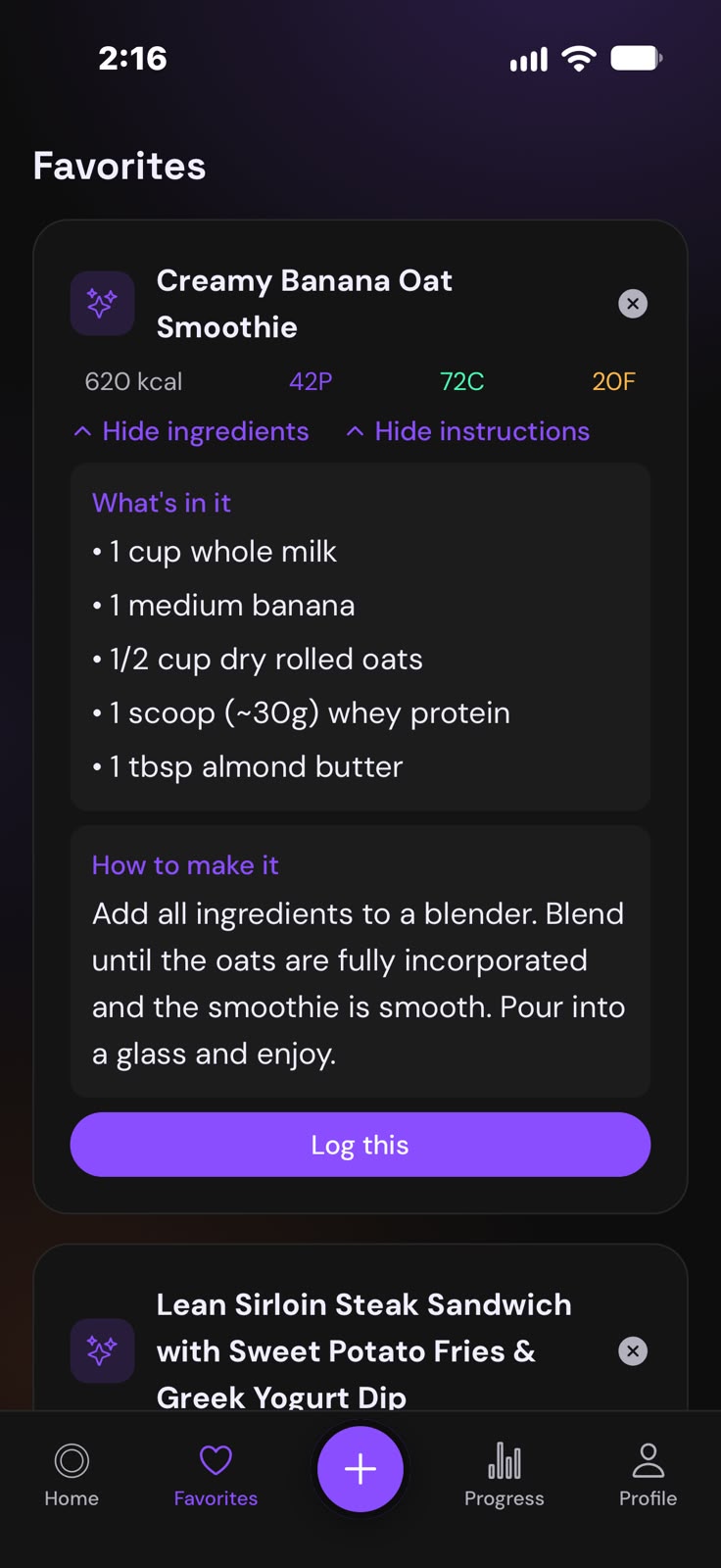
Favorites
Save the meals you eat on repeat and log them again in one tap.
Your diet, respected
Classic, vegetarian, vegan or pescatarian: meal ideas follow how you eat.
Streaks that stick
Log every day to keep your streak alive. Turn on the daily reminder for a nudge on days you haven't logged.
Your data follows you
Sign in on a new phone and your plan, meals and progress come with you.
Light and dark
A clean interface that's easy on the eyes at the 11pm protein shake.
Private by default
No ads, and your data is never sold. Delete your account any time, right in the app.
From skinny to sized up
in three steps.
Tell us about you
Height, weight, training and the pace you want to gain at. Takes about a minute.
Get your plan
Your daily calories, protein, carbs and fat, plus a realistic goal date.
Eat, log, grow
Snap your meals, follow the suggestions, and watch your weigh-ins climb.
We're here to help.
Talk to a real person
Questions, problems or feedback: email us and a real person will read it.
✉ [email protected]I got a new phone. How do I get my data back?
Install Size Up, tap "Already have an account? Sign in" on the first screen, and sign in with the same email. Your plan, meals, weigh-ins and favorites download automatically.
How accurate are the calorie and macro numbers?
They're AI estimates, and like any estimate they can be off, especially for mixed dishes or photos where the portion is hard to judge. If a number looks off, you can enter your own values on the Log screen instead.
How do I change or turn off the daily reminder?
Open Settings and use the Daily reminder switch. You can also change the time there. It only reminds you on days you haven't logged anything.
Is Size Up medical advice?
No. Size Up is a general fitness and nutrition tool. If you have a medical condition, are pregnant, or have a history of disordered eating, talk to a doctor before changing how you eat.
How do I delete my account?
In the app, open Settings (the gear icon) and tap Delete account. This permanently deletes your account and everything in it: your plan, meals, weigh-ins and favorites. It can't be undone.

Ready to size up?
Size Up is coming soon to the App Store. Your bulk starts the day it lands.